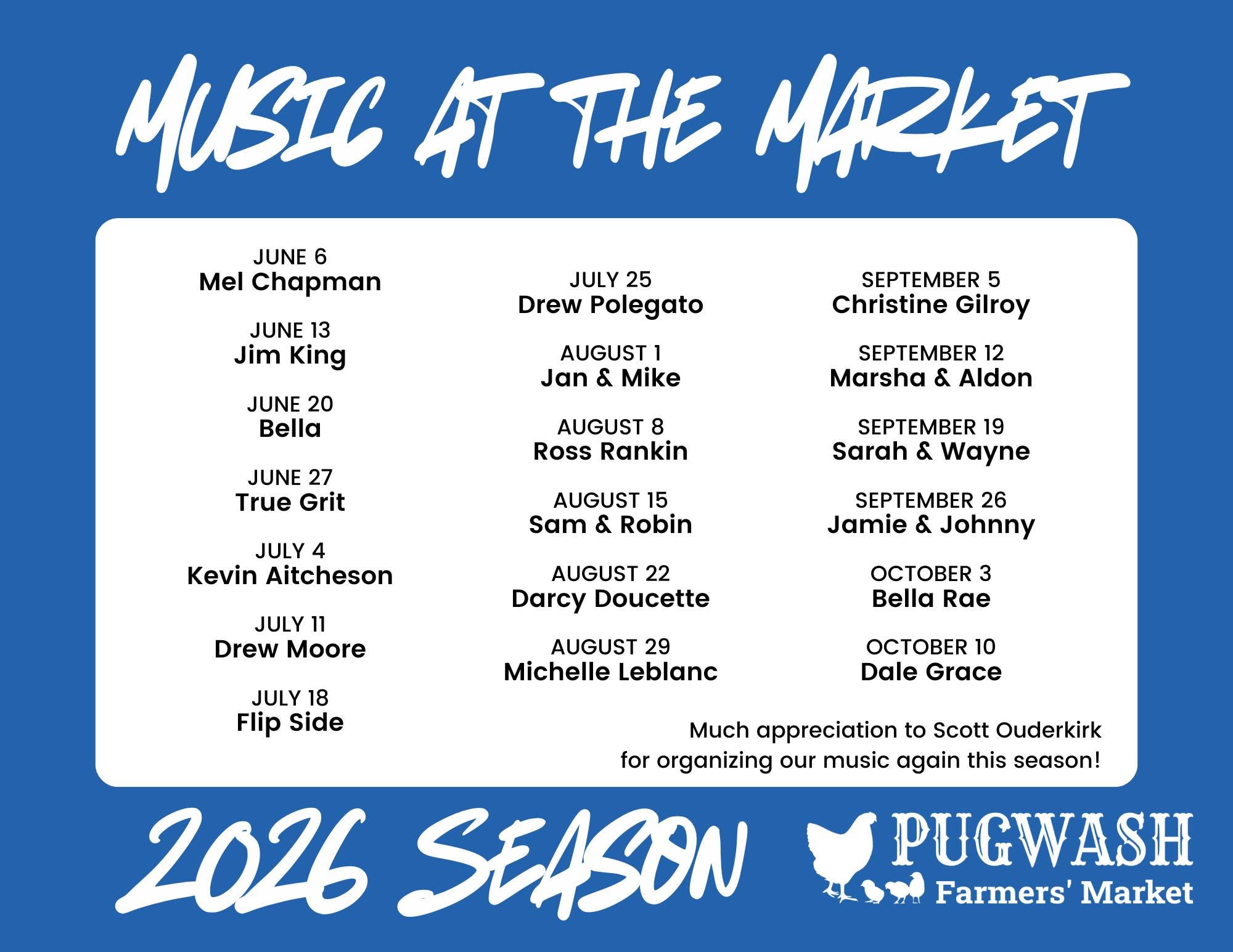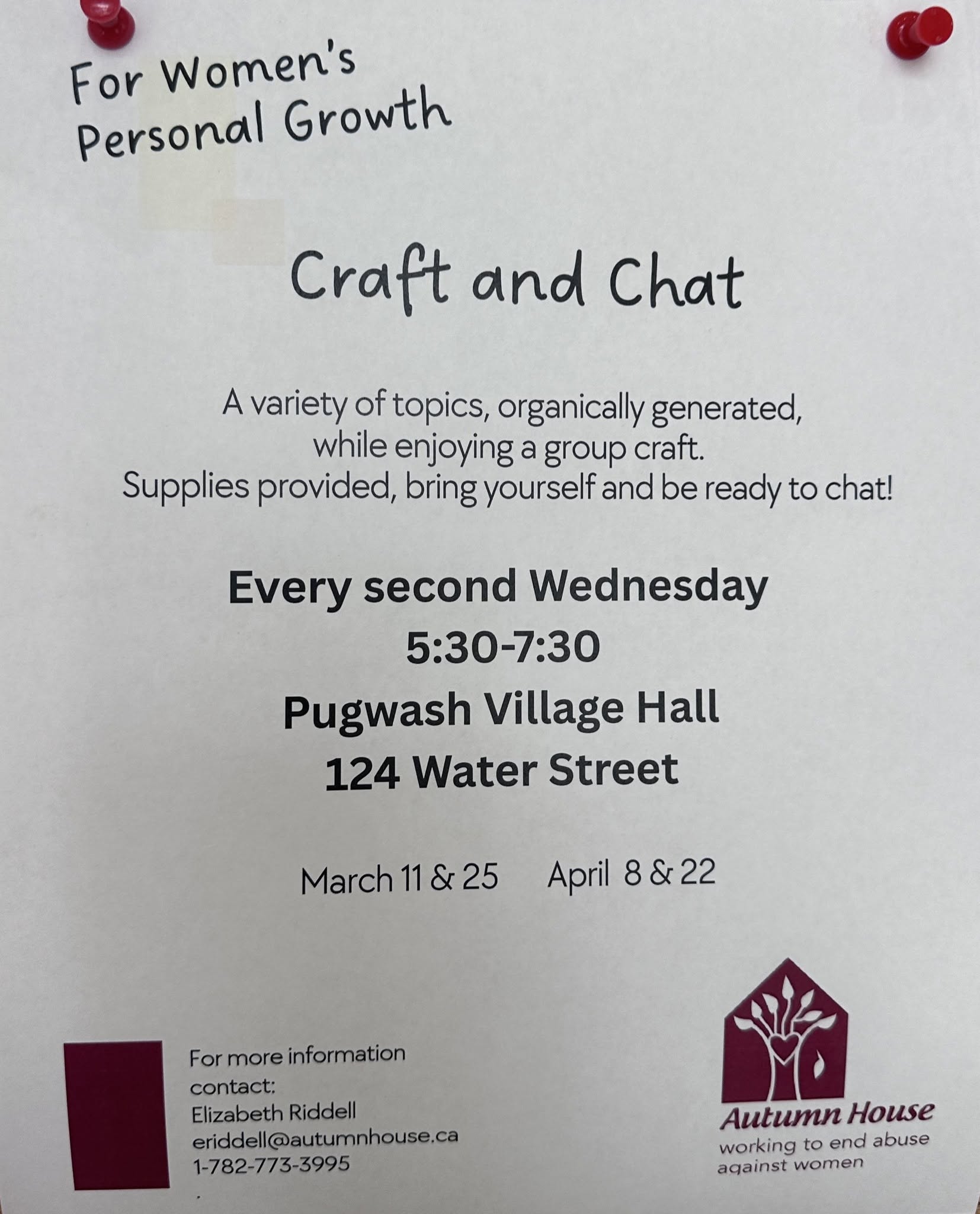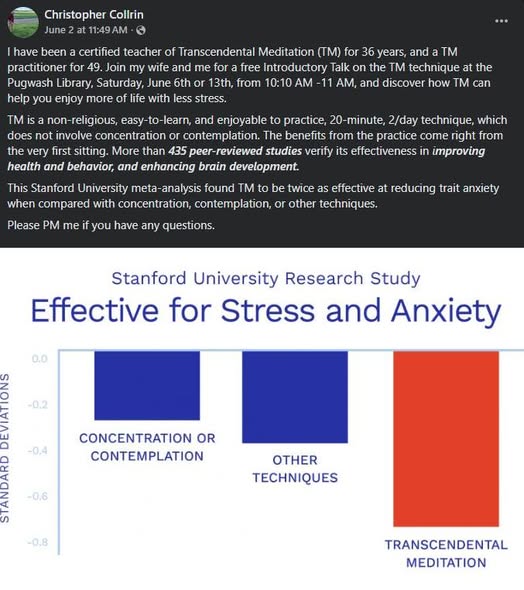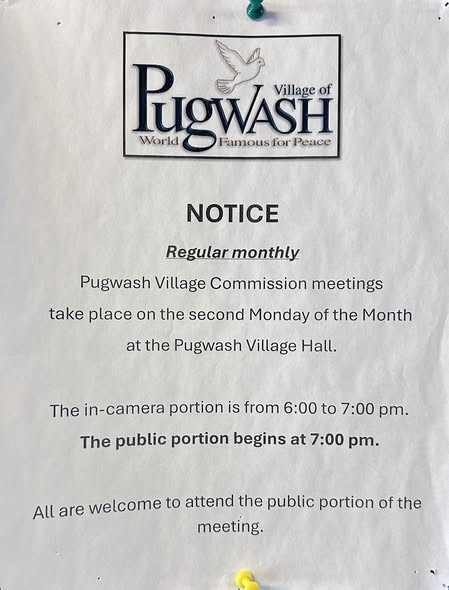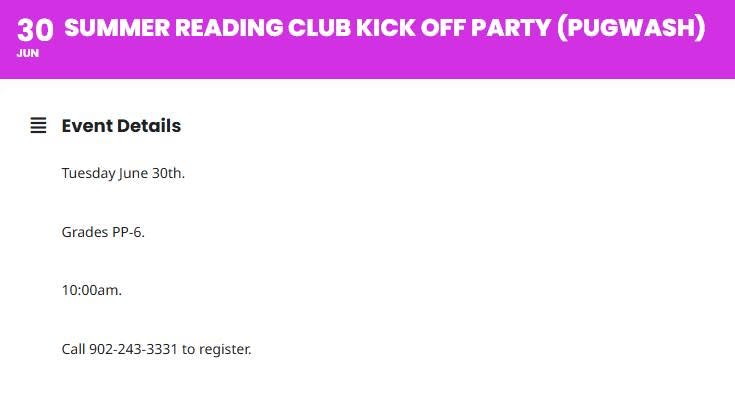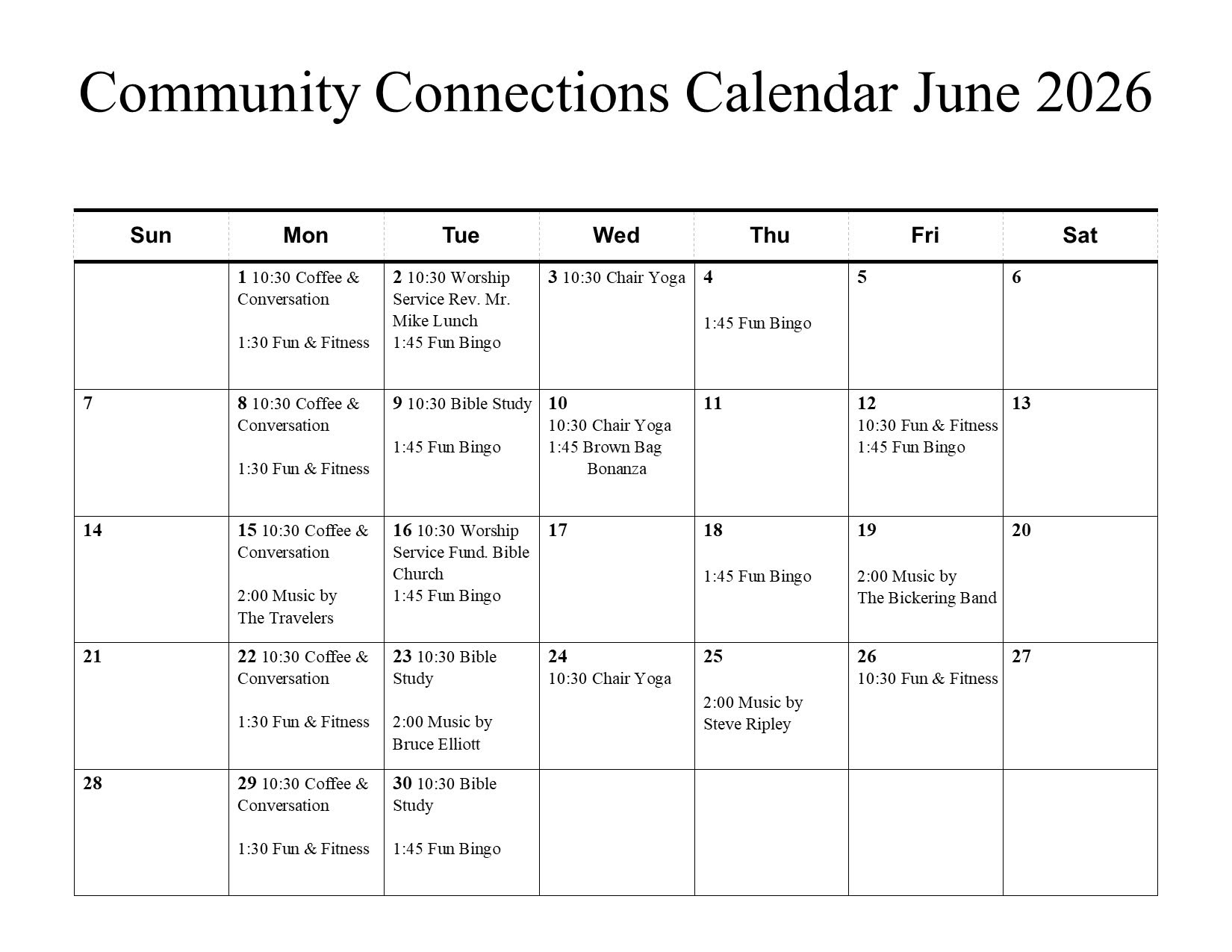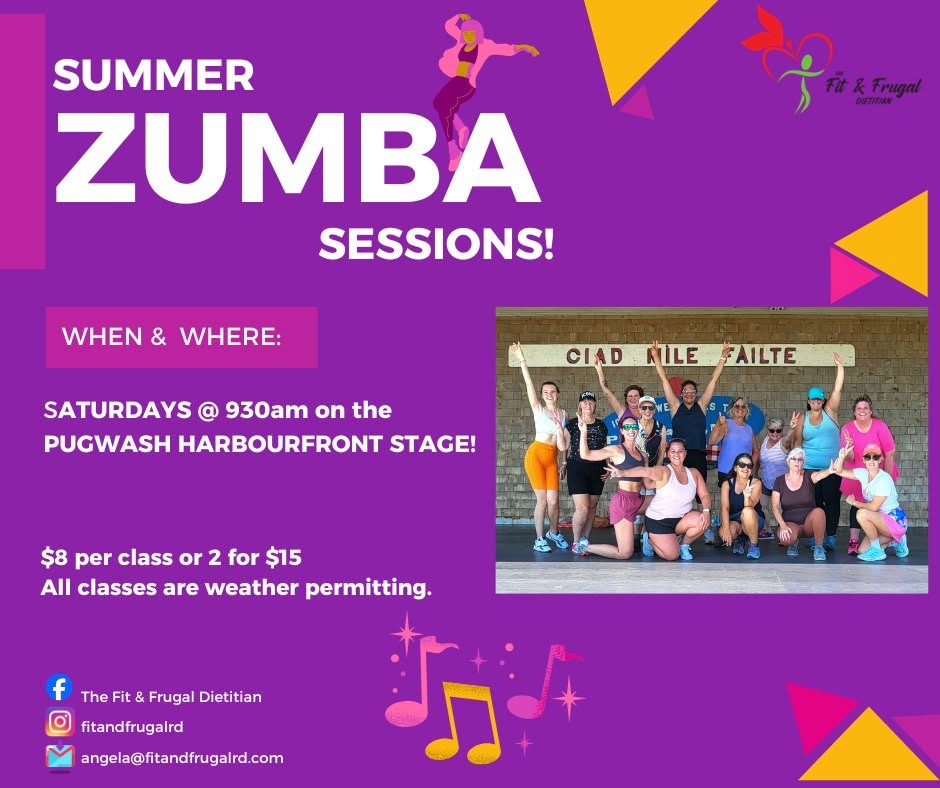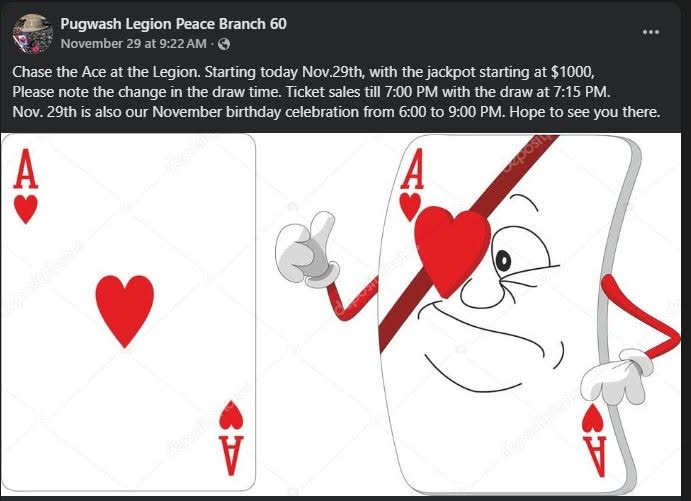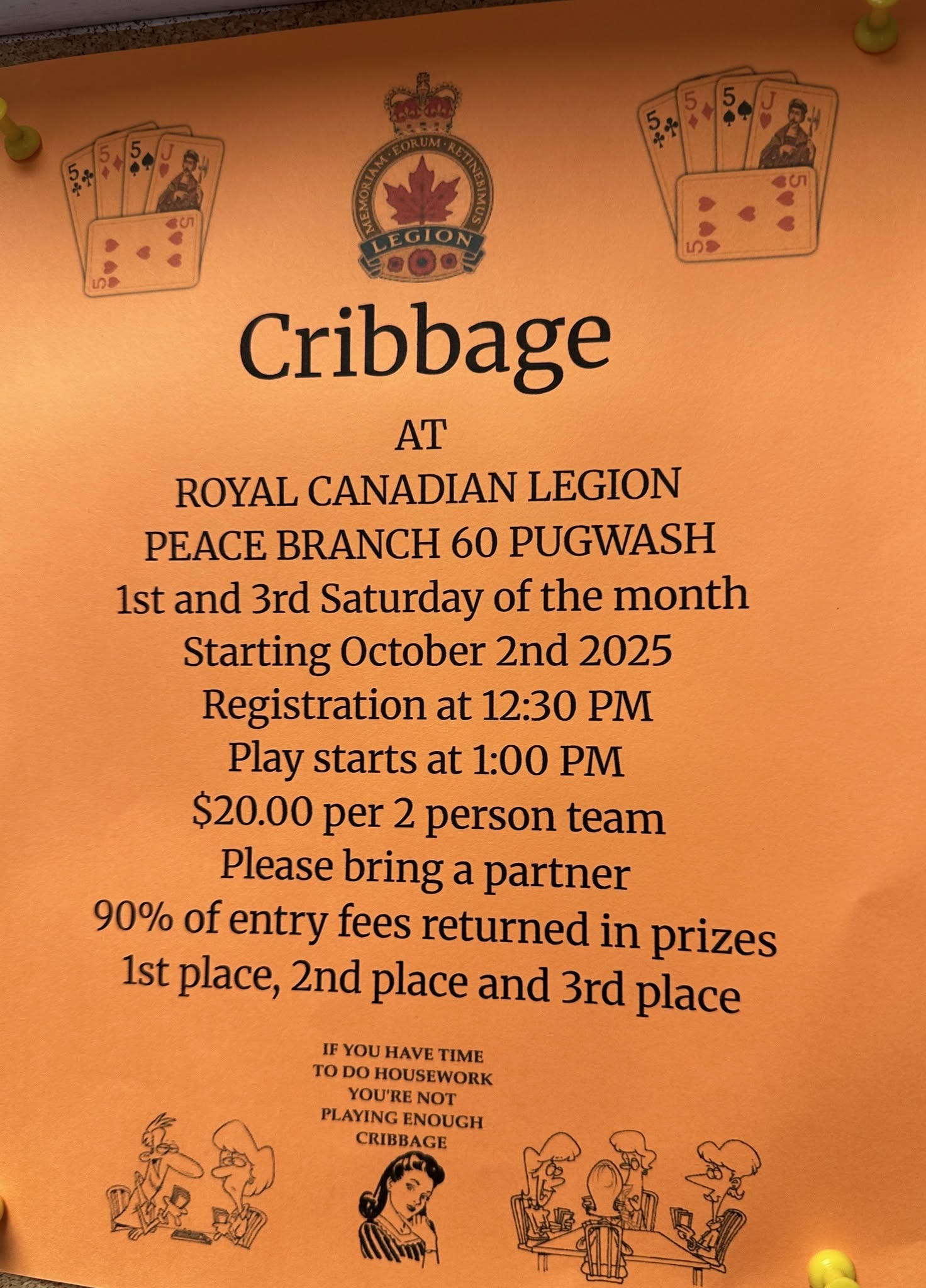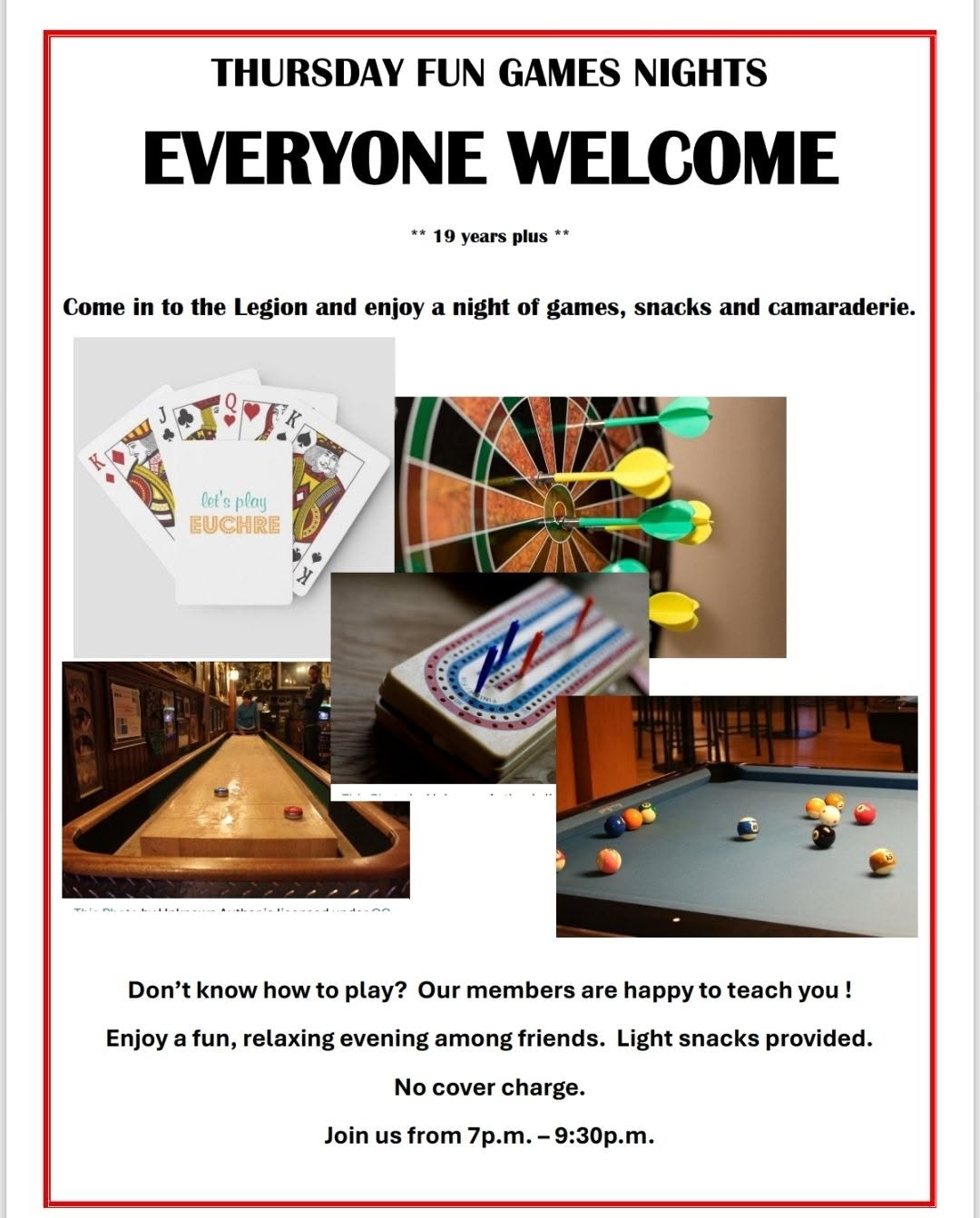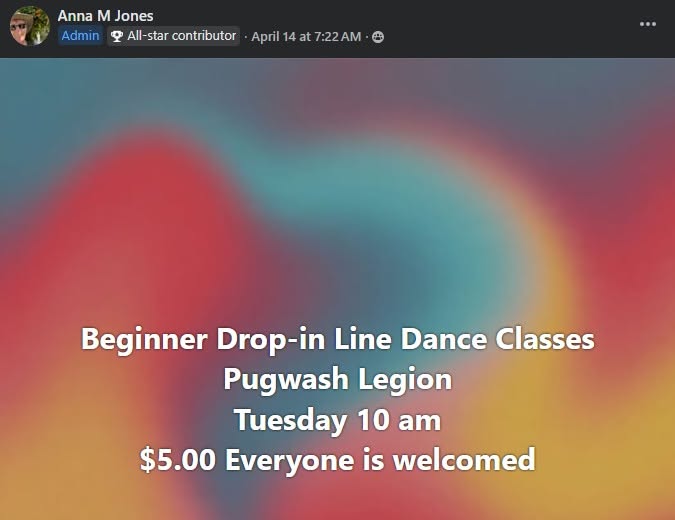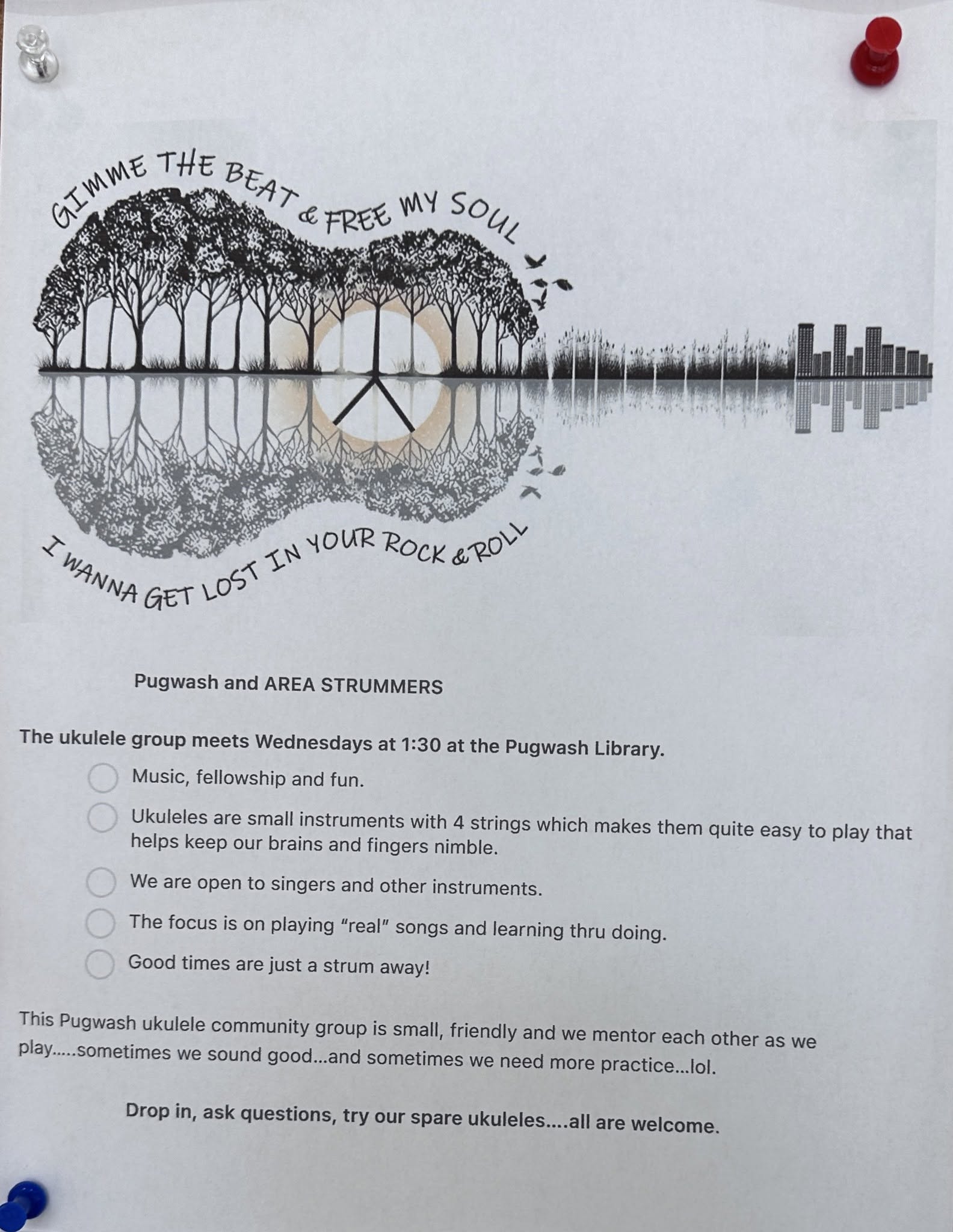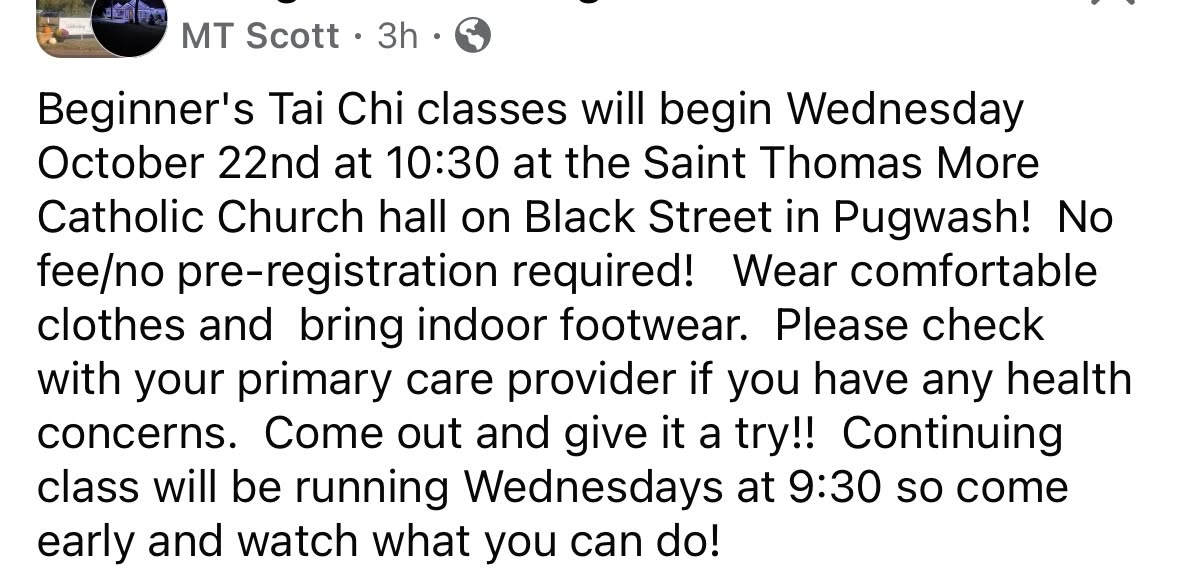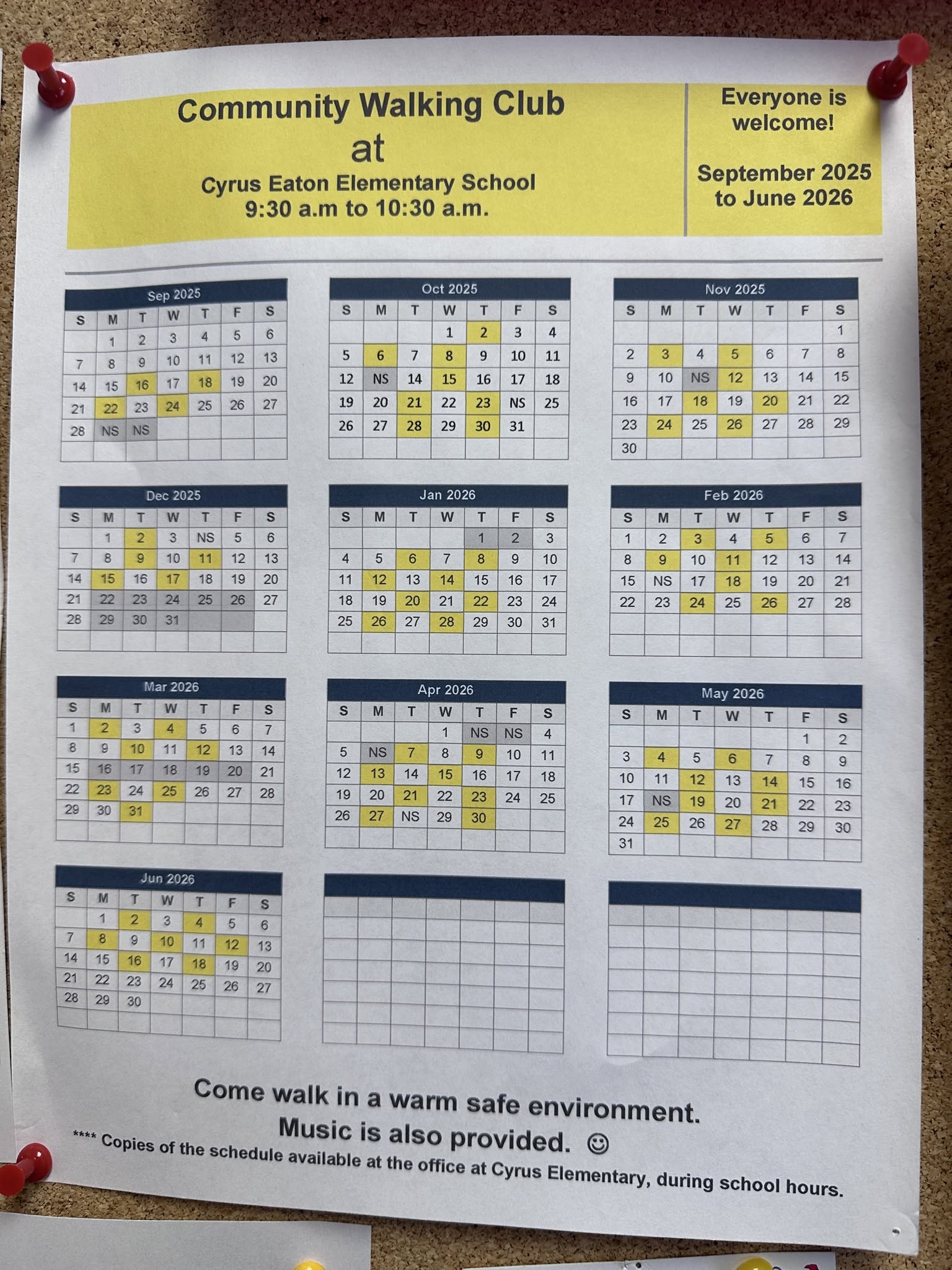

 Jun events in Pugwash
 Like & share on Facebook to help spread the word
This is for a laptop or desktop:
Click on the image to expand it and bring your cursor off the
image and click to minify the image and go on to the next one.
If you need the image bigger, you can click on the three
vertical dots on the top right of your Chrome browser under
the X, scroll down to Zoom. To the right of the zoom, you will
see a box. That makes your screen full size click on it. The
images of the events will be great for reading. To get out of
fullscreen, move your cursor up to the top of the page and an X
will appear. Click on the X and you’re back to the original screen.